Edit Group
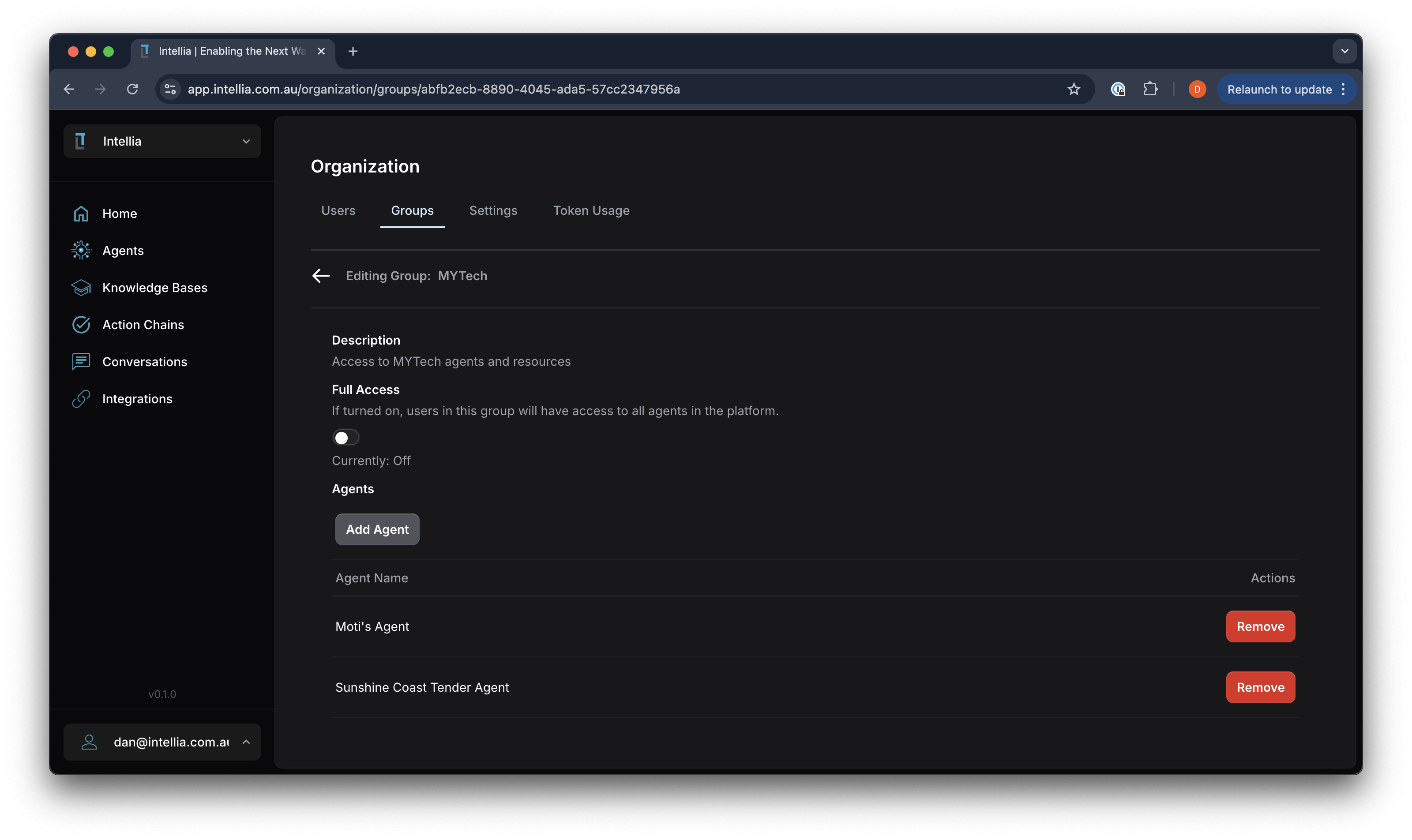
Accessible via: Workspace settings -> Groups -> Click Group Name
Editing a group allows you to manage access levels and permissions for users within your organization. A group’s access is the only way to grant apps, app sites, or site pages to users — access can never be granted to an individual user directly.
Modify Group Details:
-
Description: Update the description to reflect the group’s purpose and access level.
-
Full Access Switch:
This is a convenience switch — it sets all 4 “Allow all” toggles below at once, and reflects on when all 4 are already on.
-
Per-resource “Allow all” toggles: each of the 4 sections below has its own independent switch, so you can grant “every app” without also granting “every agent”:
- Agents: allow all agents, or add specific agents this group can access.
- Apps: allow all pinned apps, or add specific apps.
- App sites: allow all app sites, or add specific sites.
- Site pages: allow all individual site pages, or add specific pages.
With a section’s “Allow all” switch off, add individual resources from that section’s list instead.
-
Members: Members are assigned to a group from the Team page — each row there has a Group dropdown. Filter by this group’s name to see who’s in it.
-
Save Changes: Changes save immediately as you edit each field.