Workflows
Workflows
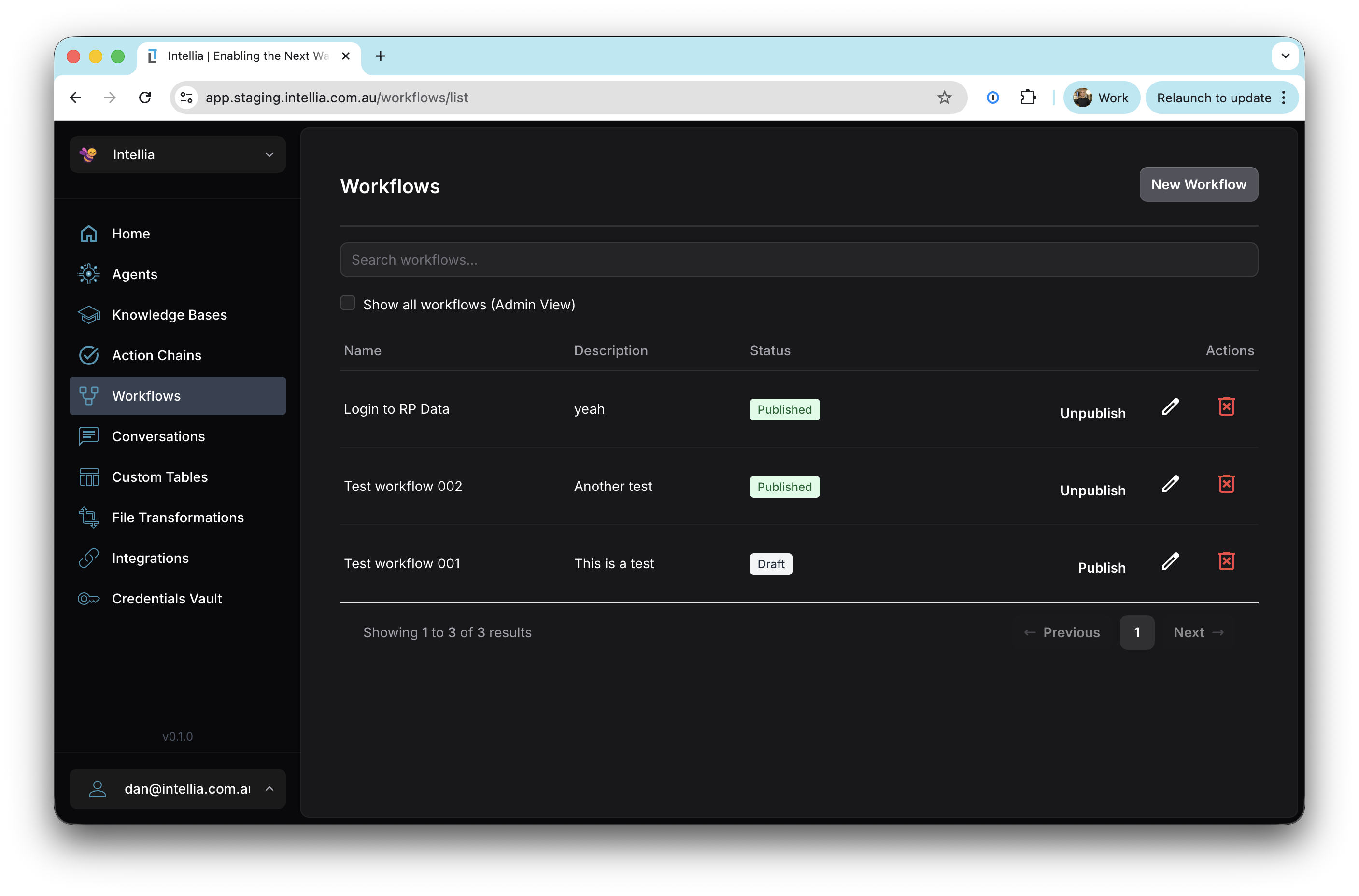
Accessible via: Main Menu -> Workflows
The Intellia platform provides powerful workflow automation capabilities that enable you to create complex, multi-step processes combining AI agents, tools, conditional logic, and human interactions. Workflows allow you to orchestrate sophisticated automation that goes beyond what individual agents can accomplish.
Key Features
- Visual Workflow Editor: Build workflows using an intuitive drag-and-drop interface with a node-based graph editor
- Multiple Node Types: Choose from execution nodes (agents, tools, functions), flow control nodes (conditionals, loops, parallel execution), interaction nodes (approvals, callbacks), and terminal nodes
- Dynamic Data Flow: Reference outputs from previous nodes using JSONPath expressions, enabling data to flow seamlessly through your workflow
- Error Handling: Define success and failure paths for robust workflow execution
- Human-in-the-Loop: Integrate approval steps and callbacks for workflows requiring human oversight
- Nested Workflows: Execute other workflows as part of your automation, enabling modular and reusable workflow design
- Execution History: Track and monitor all workflow executions with detailed logs and status information
- Draft and Published States: Develop and test workflows in draft mode before publishing them for production use
When to Use Workflows
Workflows are ideal when you need to:
- Orchestrate Multi-Step Processes: Combine multiple agents, tools, and logic steps into a single automated flow
- Add Conditional Logic: Make decisions based on data, branching to different paths based on conditions
- Loop Over Data: Process arrays of items or repeat actions multiple times
- Require Human Approval: Pause automation to wait for human decision-making
- Handle Complex Error Cases: Define specific actions to take when steps fail
- Execute Parallel Tasks: Run multiple operations simultaneously to improve performance
- Reuse Automation: Create modular workflows that can be called from other workflows
Workflow Lifecycle
- Create: Design your workflow in the visual editor, adding and configuring nodes
- Draft: Test and refine your workflow without affecting production systems
- Publish: Deploy your workflow to production
- Execute: Trigger workflow runs manually or programmatically via API
- Monitor: Track execution history, view logs, and debug issues
- Iterate: Update and republish workflows as requirements evolve
Workflows empower organizations to build sophisticated automation that combines the intelligence of AI with the reliability of structured processes, all while maintaining human oversight where needed.